KM Platform
“ A responsive web application designed for training new employees, helping them understand the company’s workflow ”
Role
UX/UI Design
Tools
Figma
Year
2024

Project Overview
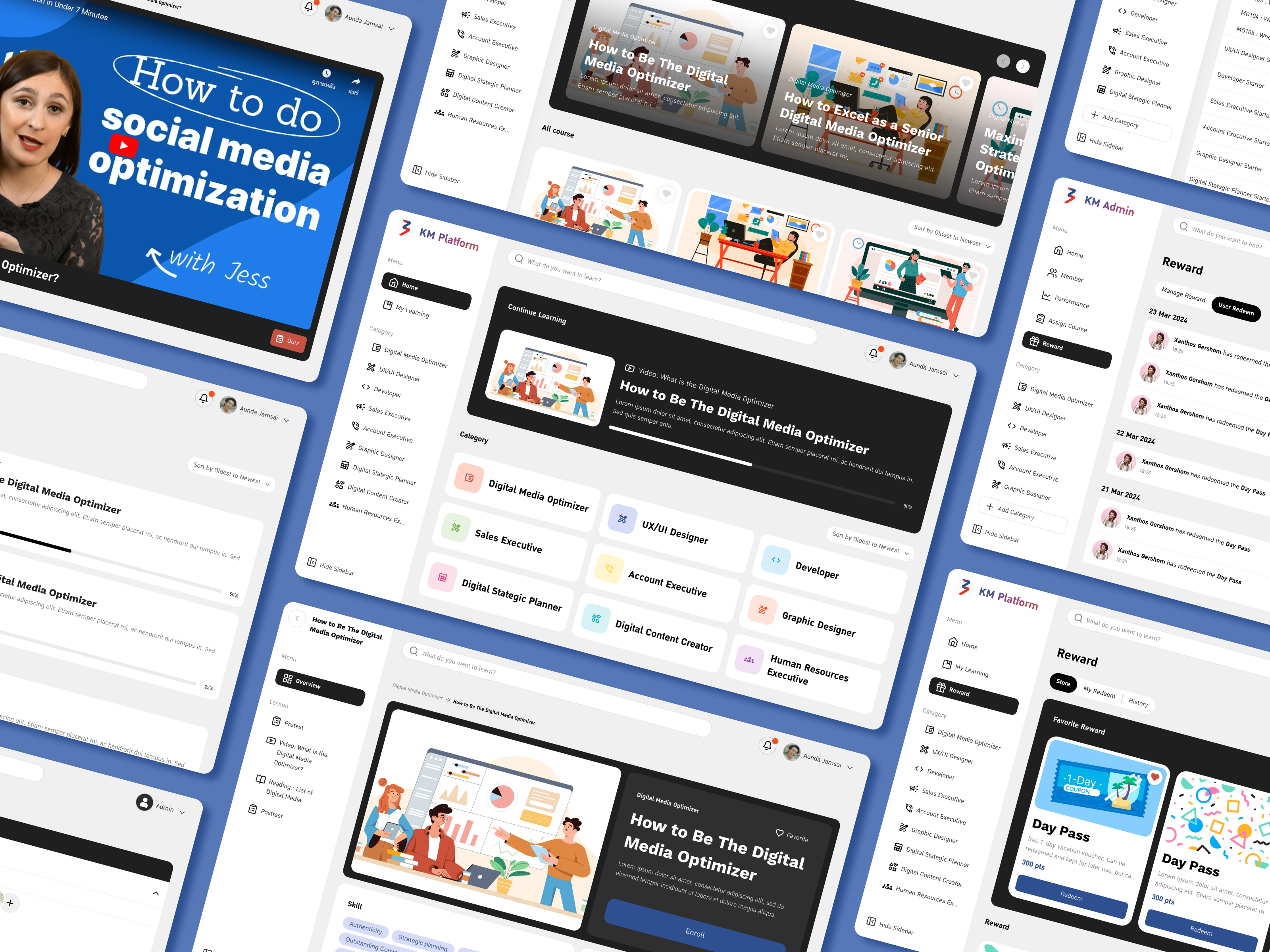
KM Platform is a responsive web application designed to collect and organize information about the workflows of different departments within a company. It serves as a learning and training tool to help new employees understand the company’s operational processes and become work-ready from day one.
Problem
New employees often struggle to understand their job responsibilities, requiring senior staff to repeatedly spend time training them taking focus away from their main tasks.
Moreover, there is no centralized record or resource for these training sessions, meaning each new hire must be taught from scratch.
This lack of documentation also makes it difficult to assess whether new employees truly understand what they’ve been taught.
Solution
The platform provides a centralized knowledge hub where employees can easily browse and select specific topics they want to learn about.
This allows new hires to self-learn at their own pace, reducing the need for repeated one-on-one training from senior staff and ensuring consistent, accessible, and well-documented knowledge across the organization.
User Research
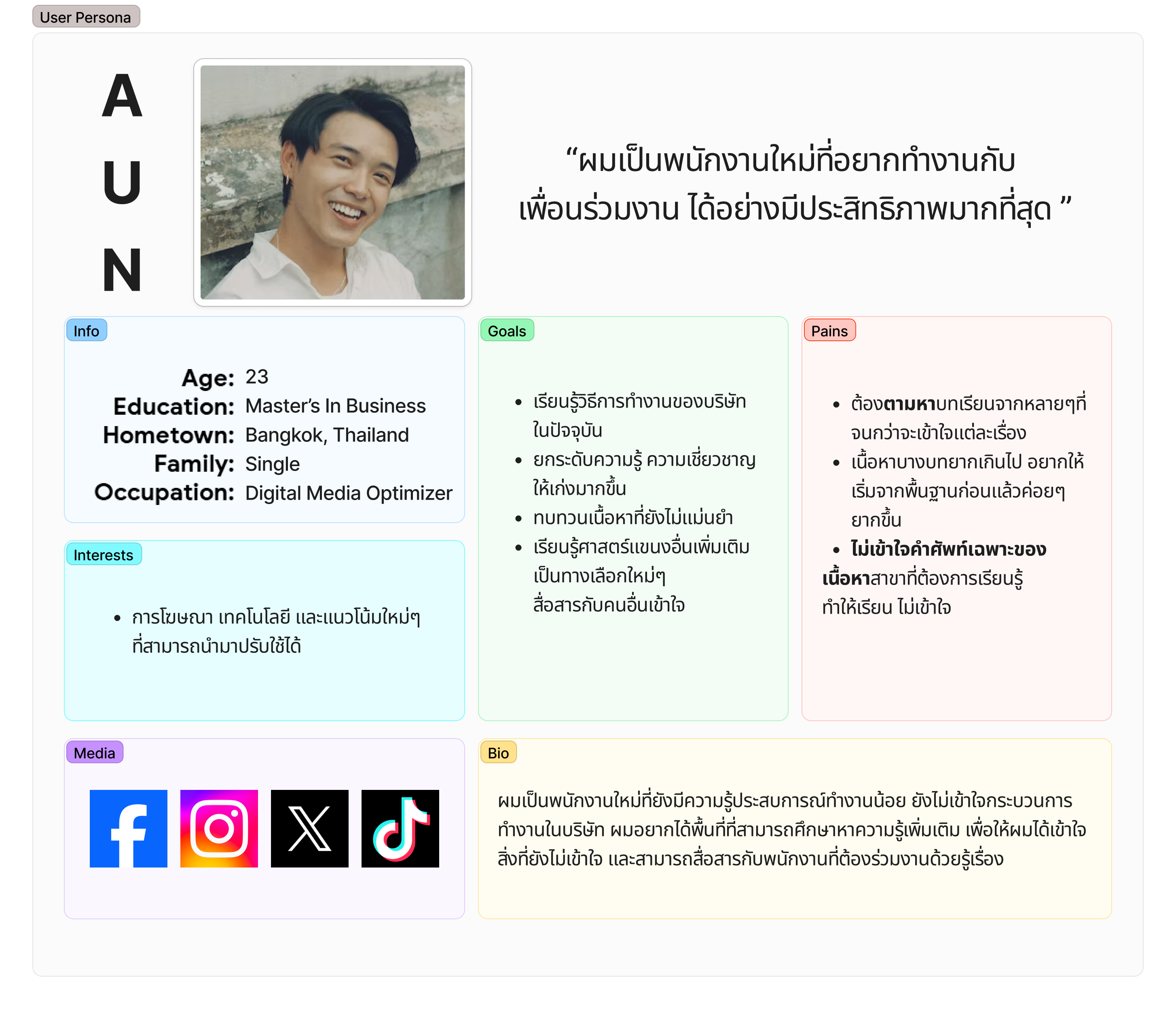
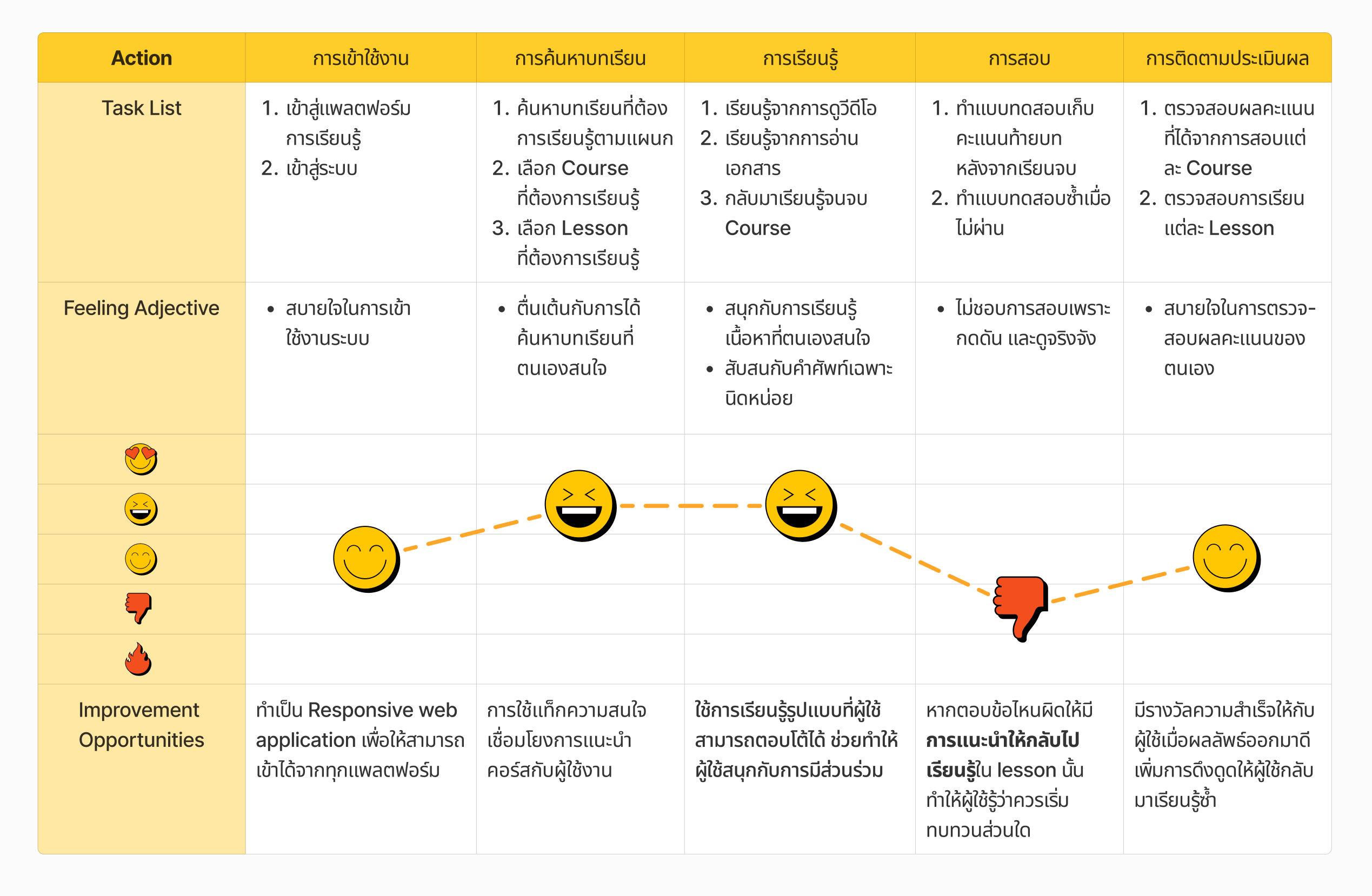
The process began with understanding user needs through interviews with the target audience, followed by creating detailed user personas to represent different types of users. A user journey analysis was then conducted to explore how users would interact with the platform. These insights guided the user-centric design and development process, ensuring the final product truly aligns with real user behaviors and expectations.
Feature Analysis
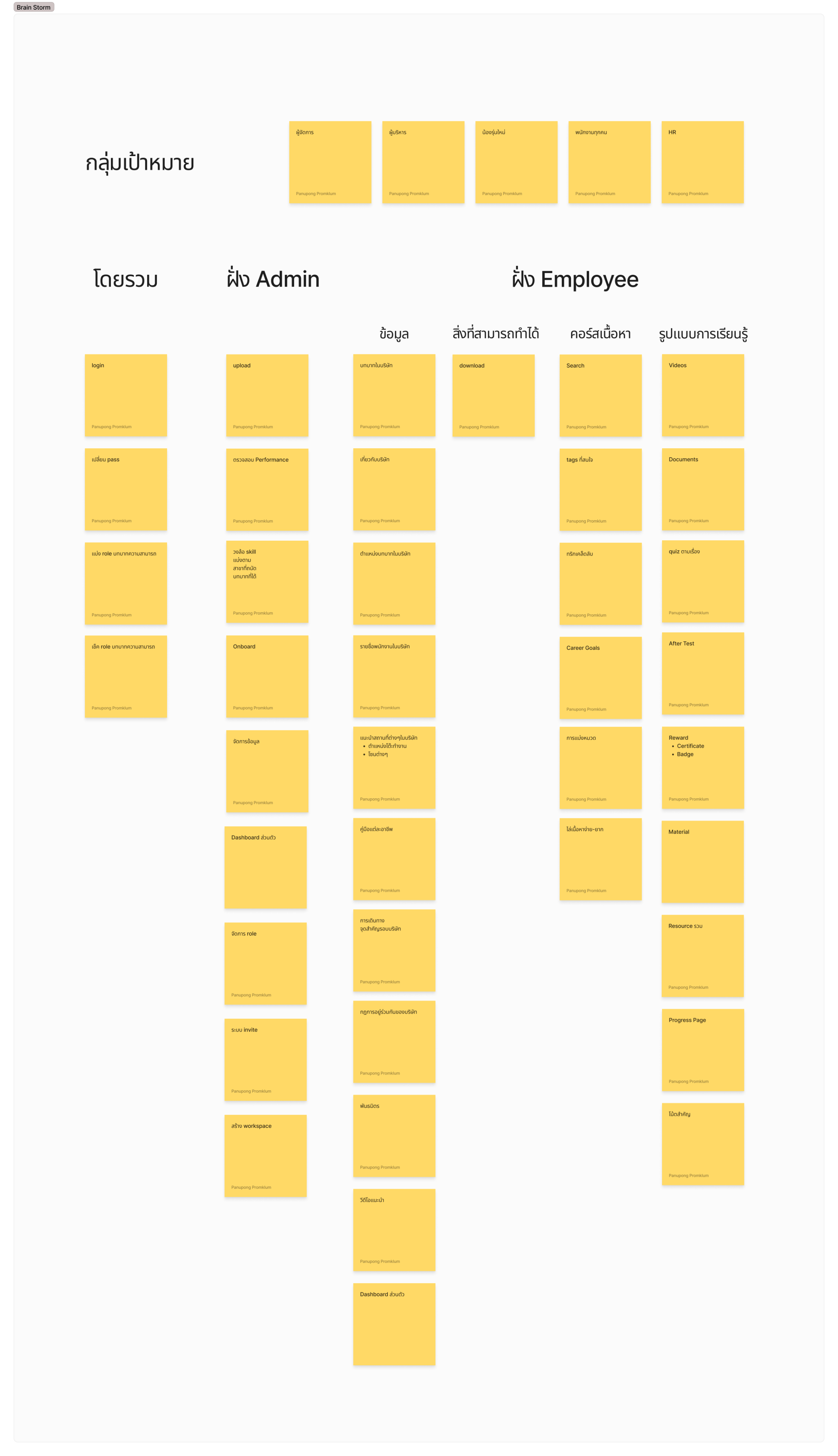
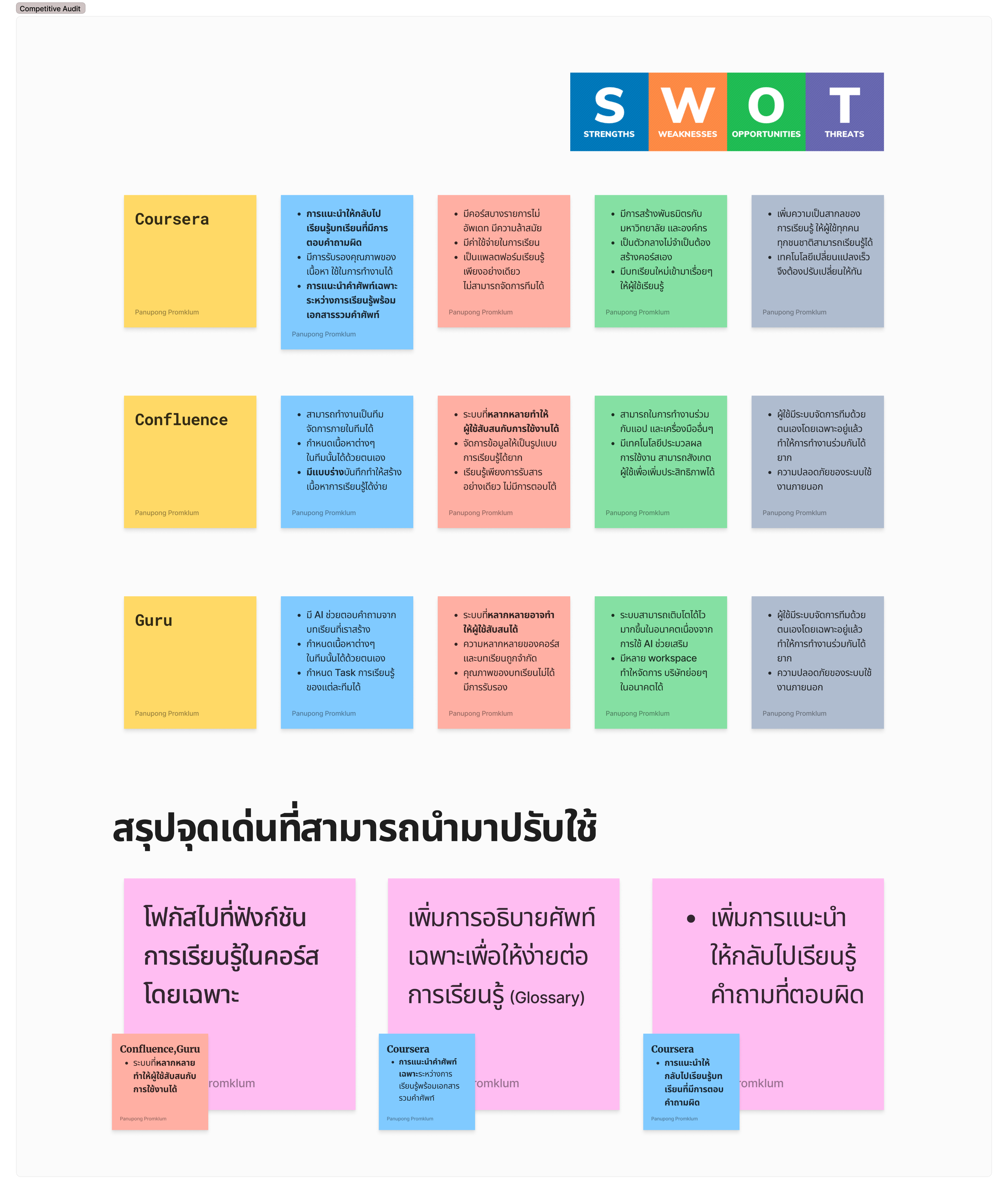
Various types of data were collected and organized through a well-structured information architecture, while a competitive analysis was conducted to study similar platforms. These processes helped identify key features and best practices that could be adapted and integrated into the project to better meet user needs and enhance overall usability.
Flow & Sitemap
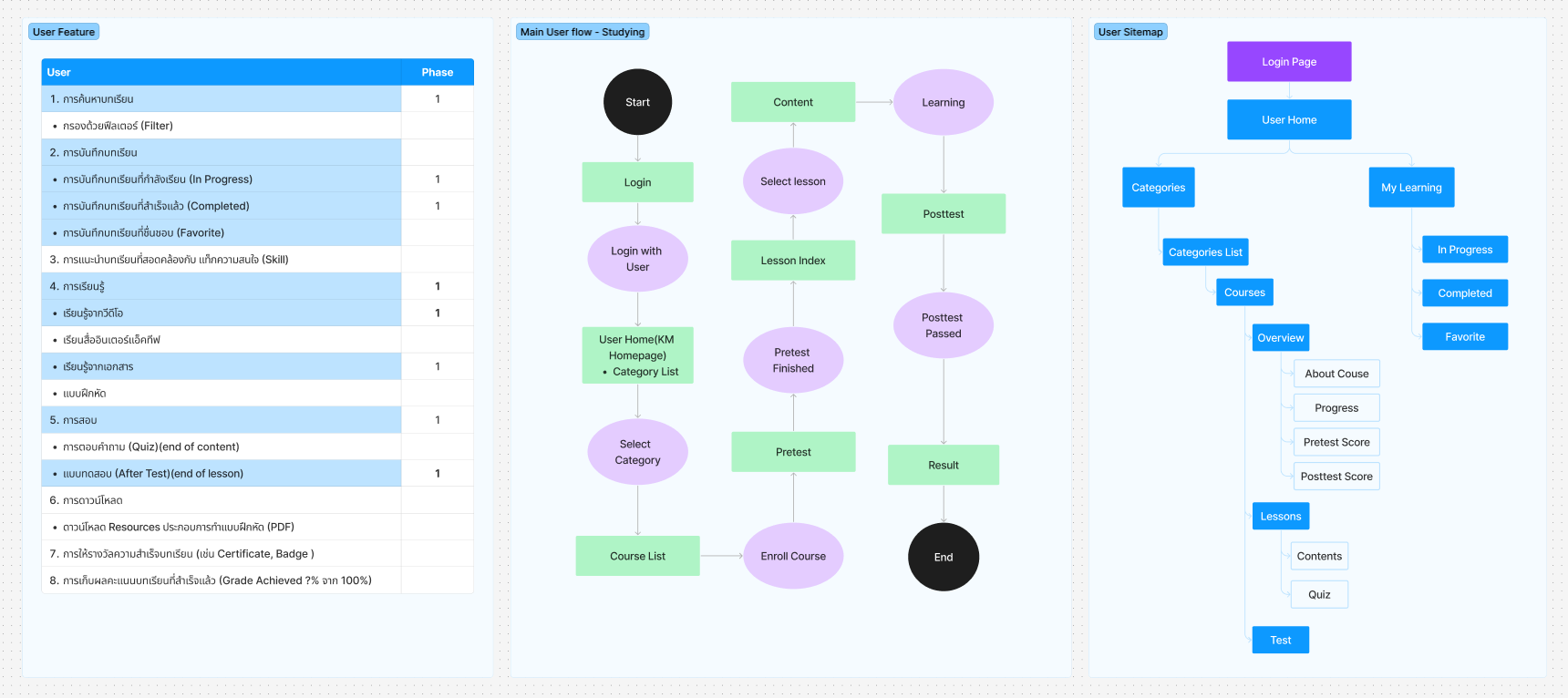
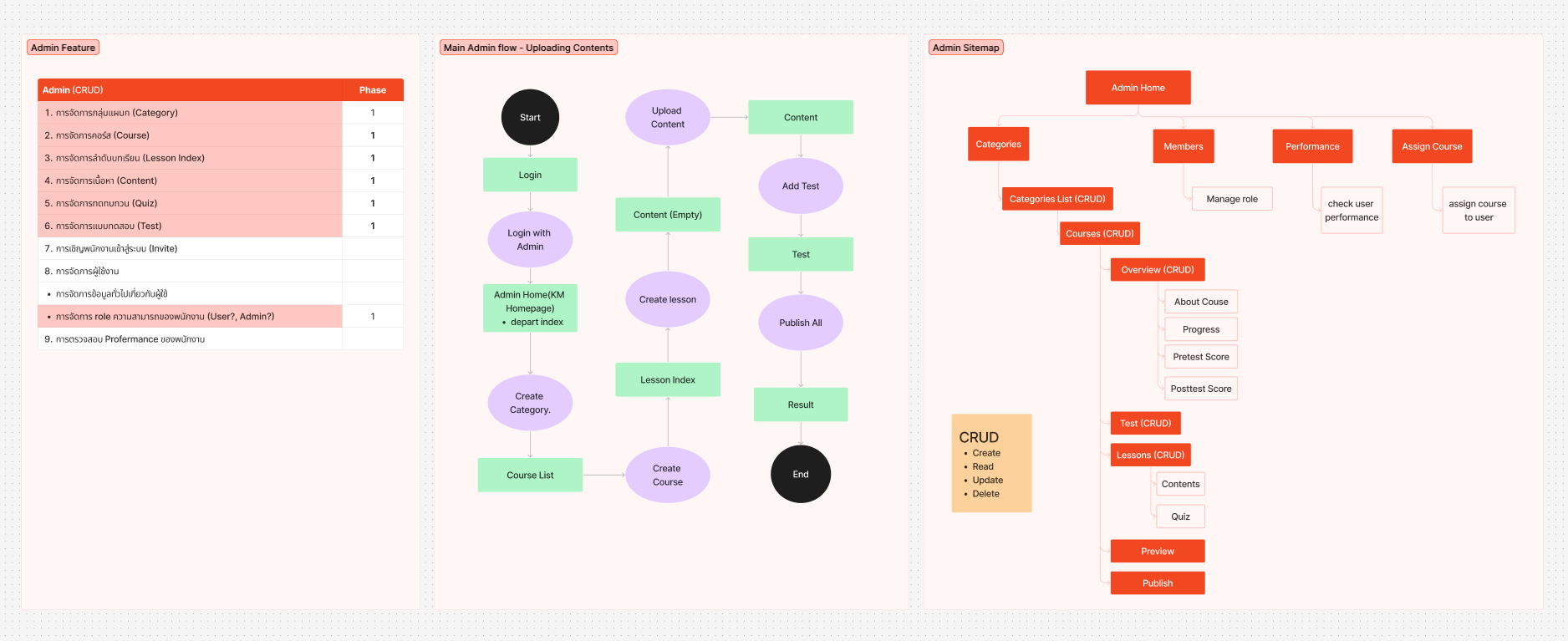
After finalizing the overall feature set, the workflow was divided into two main sides: User and Admin.The next step involved creating a detailed user flow to outline the system’s core processes, followed by designing a sitemap to clearly visualize the platform’s structure and functionality.
Wireframe
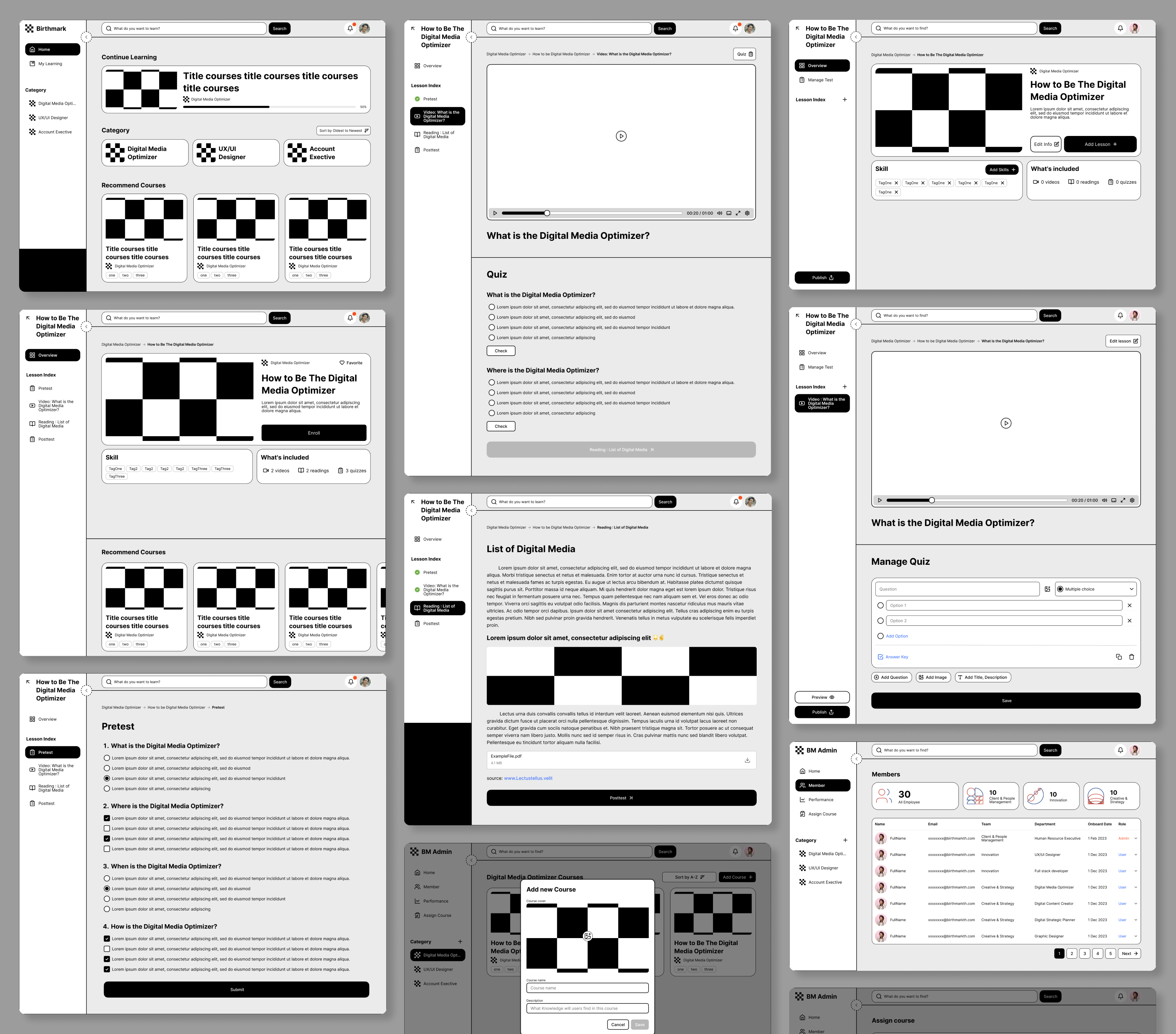
After that, low-fidelity wireframes were created to visualize the layout and structure of each page, helping to define the user interface and ensure a smooth and intuitive user experience before moving on to the final design stage.
Style
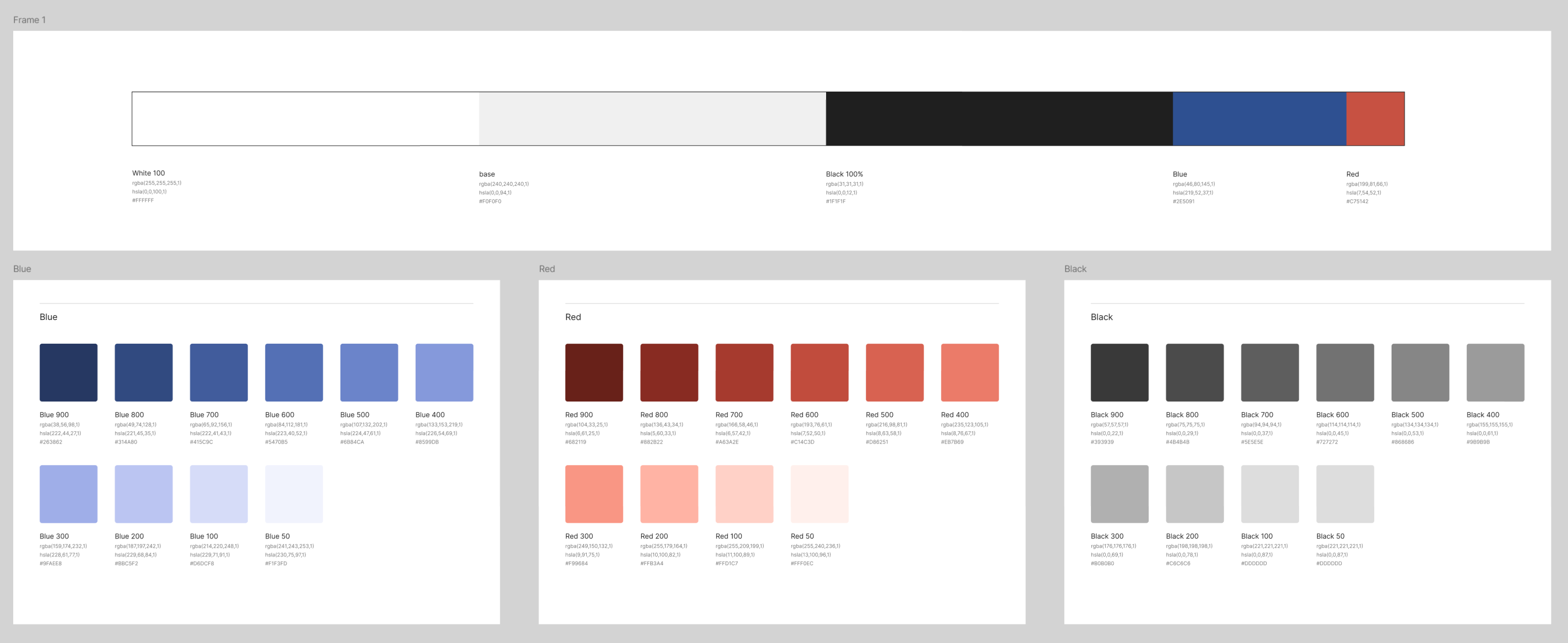
Color Palette
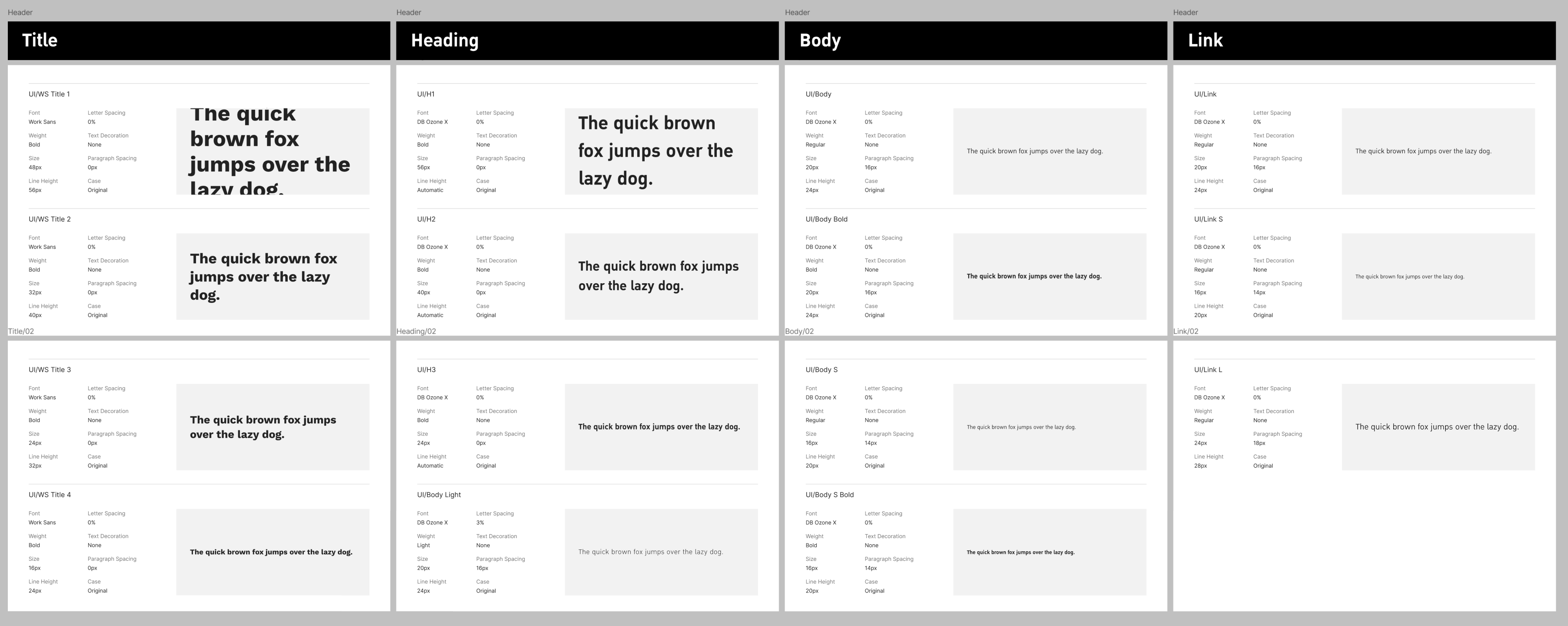
Typography
Components
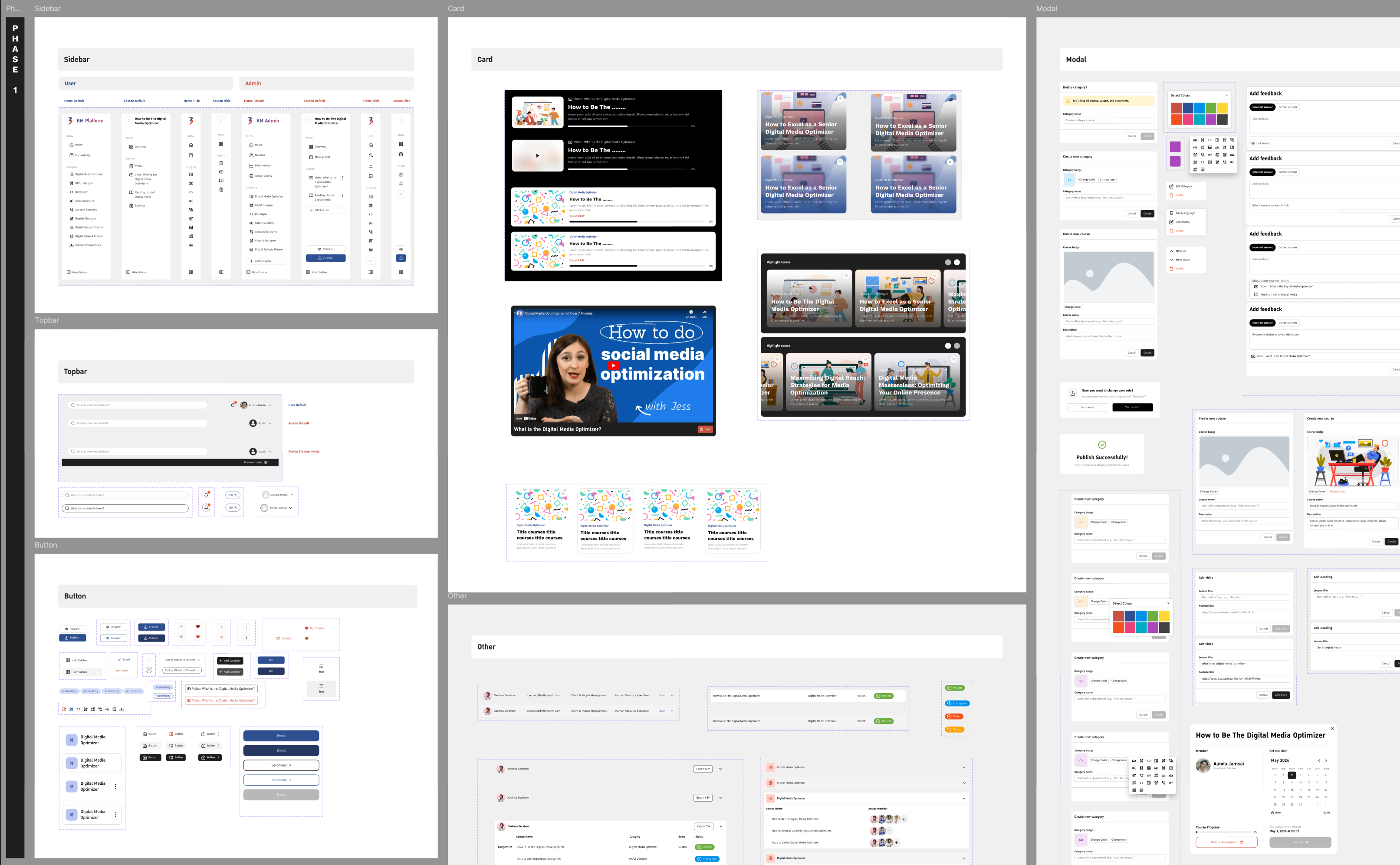
Designed and organized UI components into a structured library, making them easy to access and reuse throughout the project for a consistent and efficient design process.
User Interface
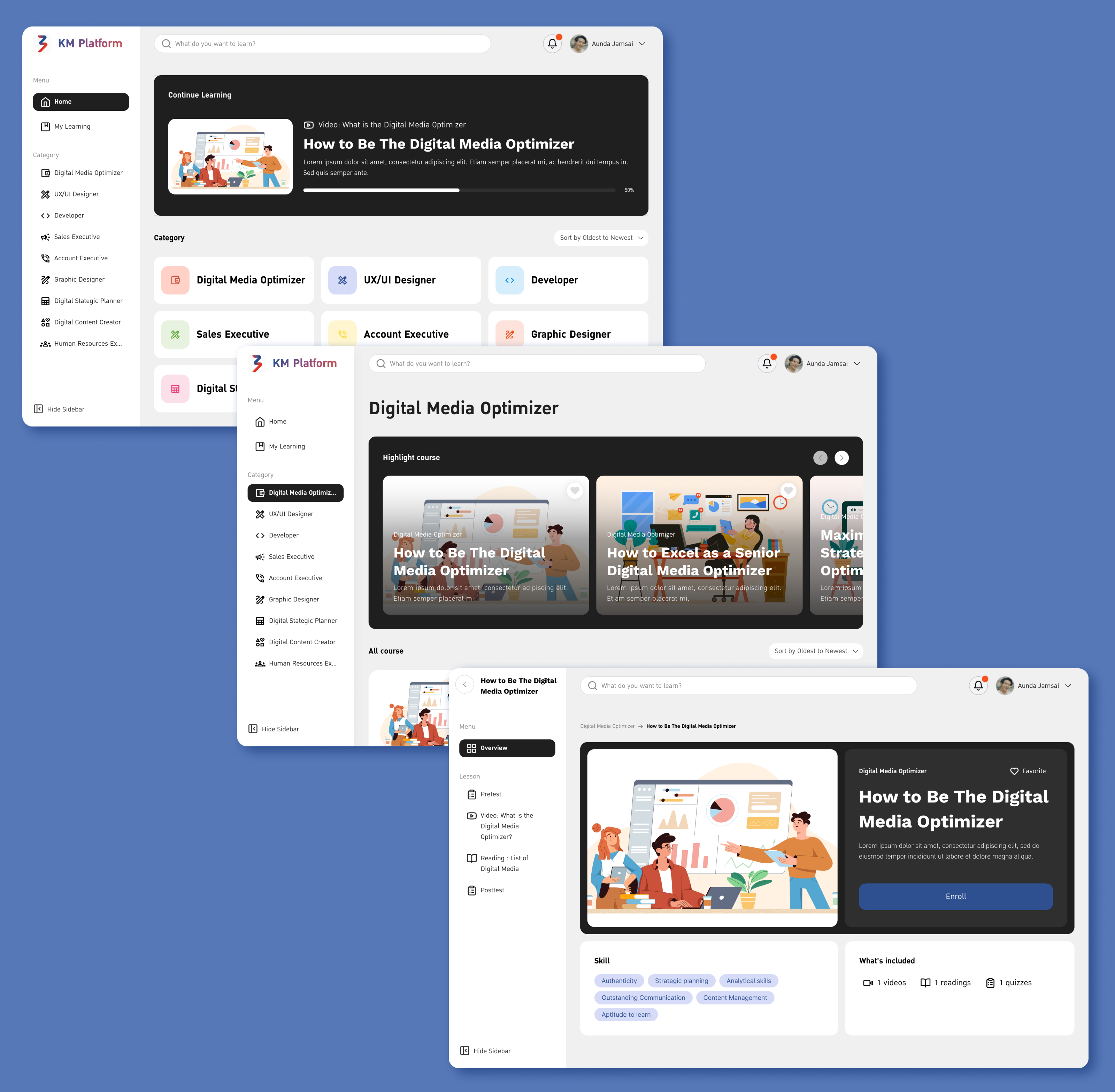
Select Lessons
Users can select the department they want to learn about and browse through lessons or materials on their own, similar to taking an online course.
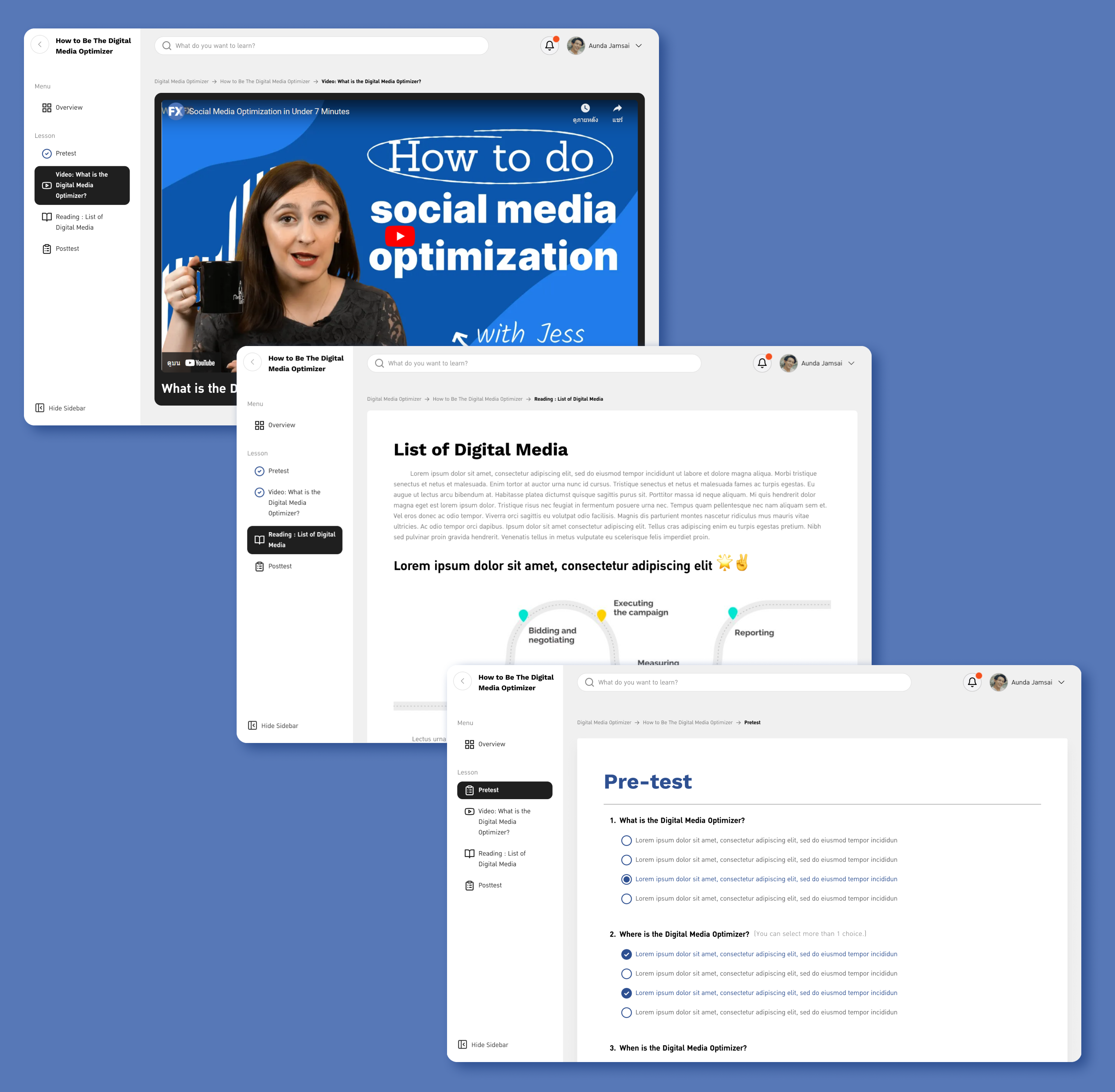
Learn & Test
Users can learn through lessons presented as videos or documents, and then take short quizzes to assess their understanding. This approach helps users retain knowledge effectively and apply it confidently in real work situations.
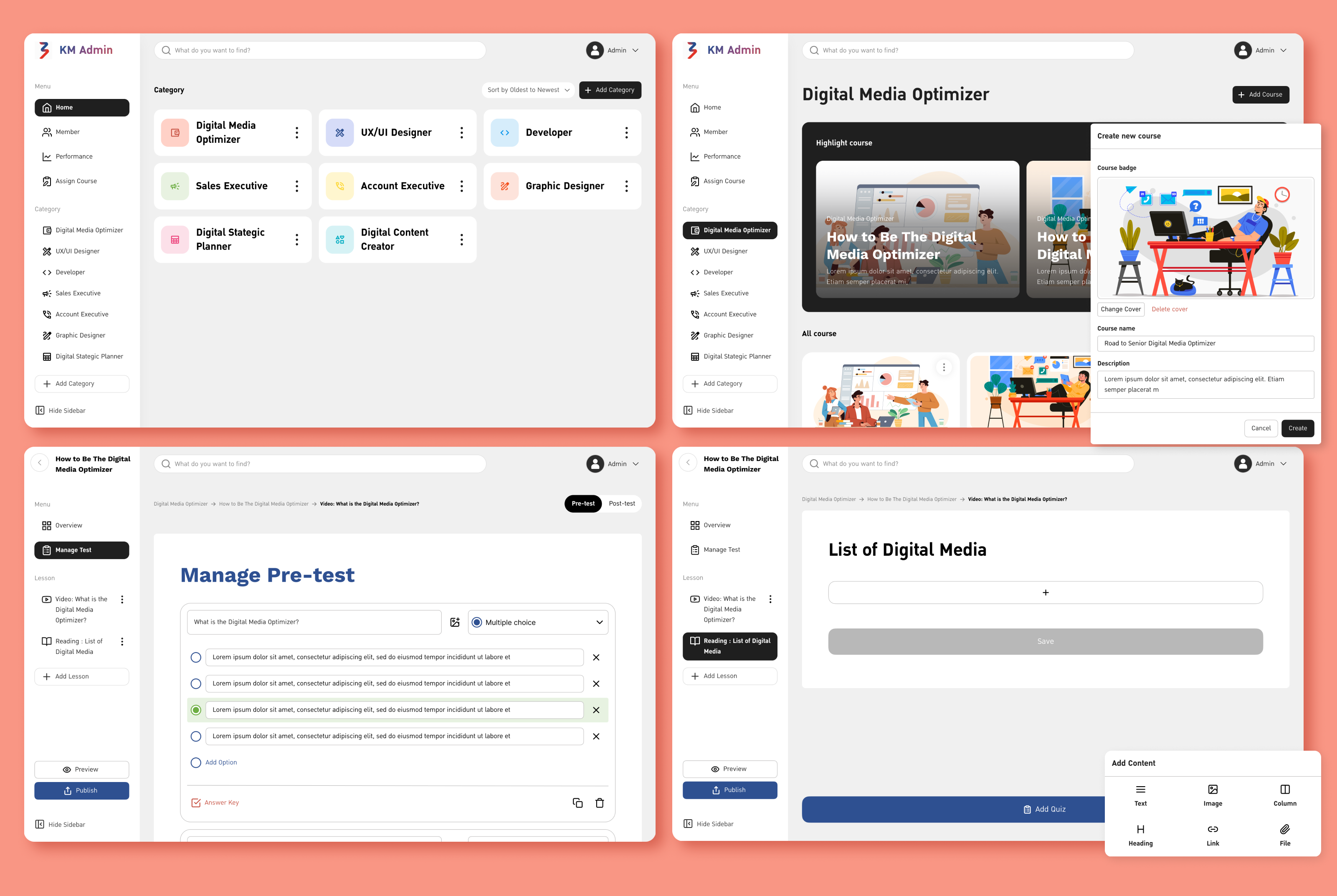
Create Lessons
Admins or authorized users can manage their respective departments, including lessons, videos, documents, and tests, allowing them to maintain and update learning content efficiently within their area of responsibility.
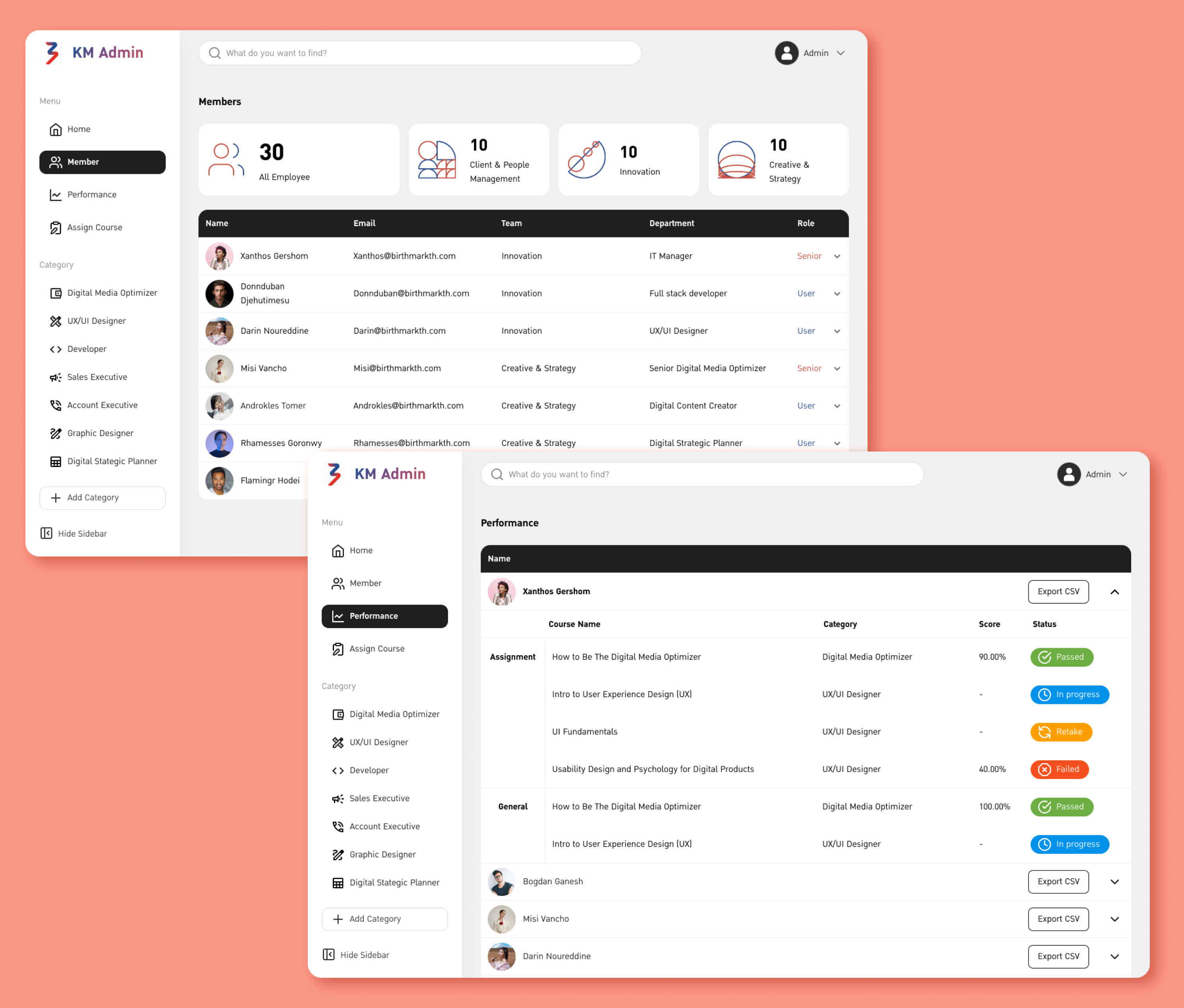
Permission and Performance
Admins can assign role-based permissions to manage the system and also monitor the learning progress of individual employees, ensuring effective oversight and personalized support where needed.
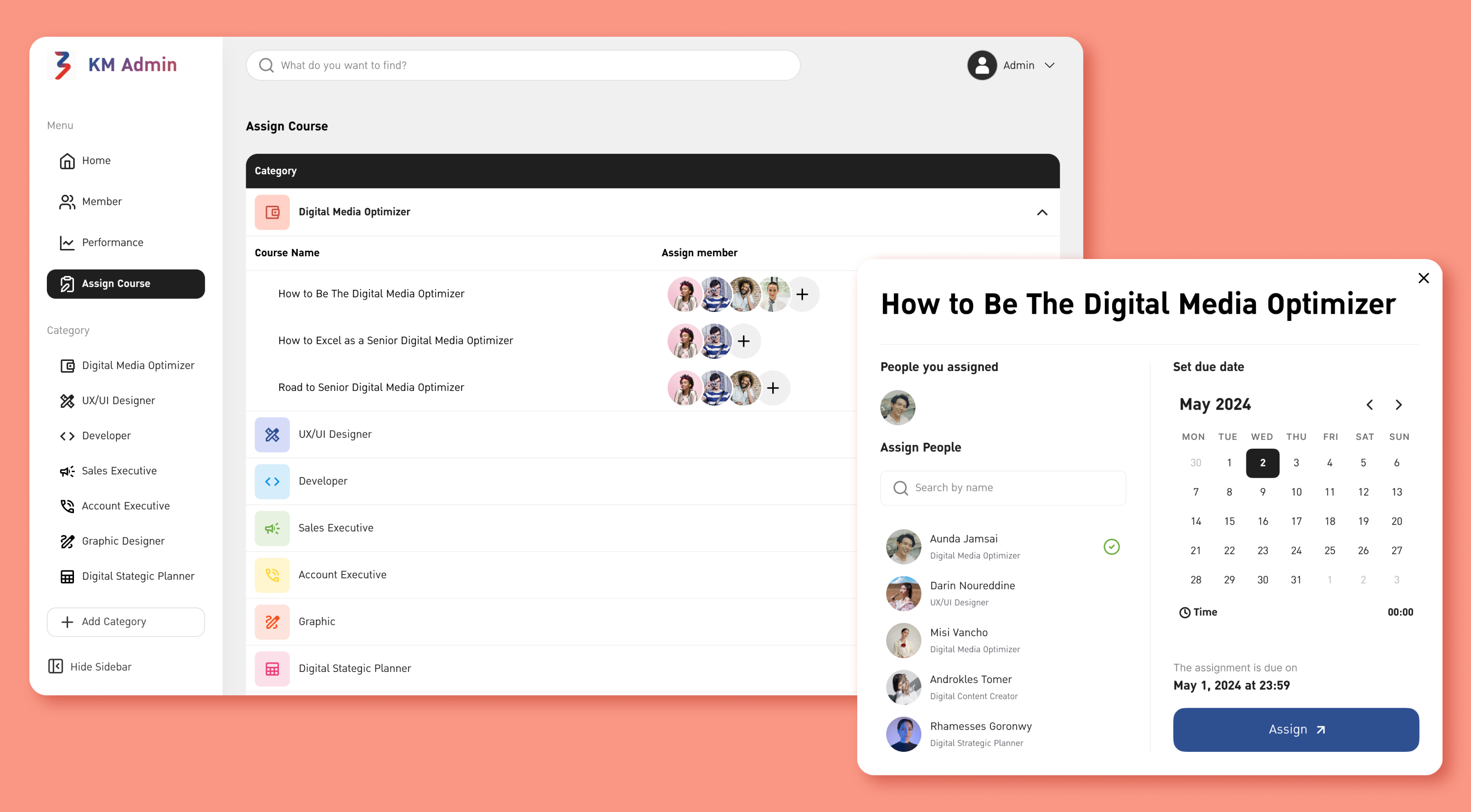
Assign Lessons
Authorized users can assign specific lessons for employees to complete and set deadlines for when the learning must be finished, ensuring structured and timely training.
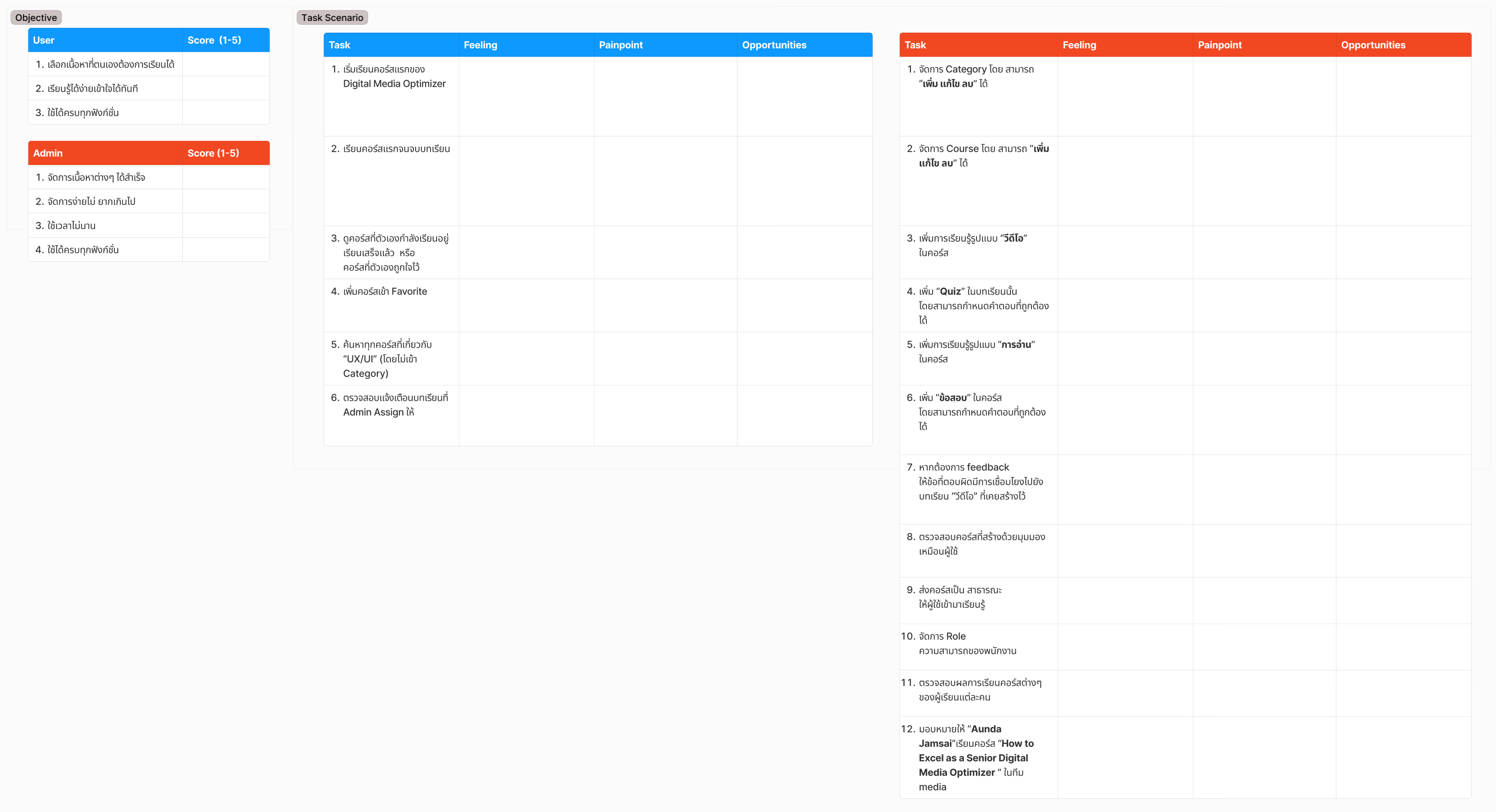
Usability testing
The prototype was tested with users by defining task scenarios, observing their interactions, and collecting their feedback. An affinity diagram was then created to summarize user needs,which informed refinements and improvements to the system design for a more complete and effective user experience.
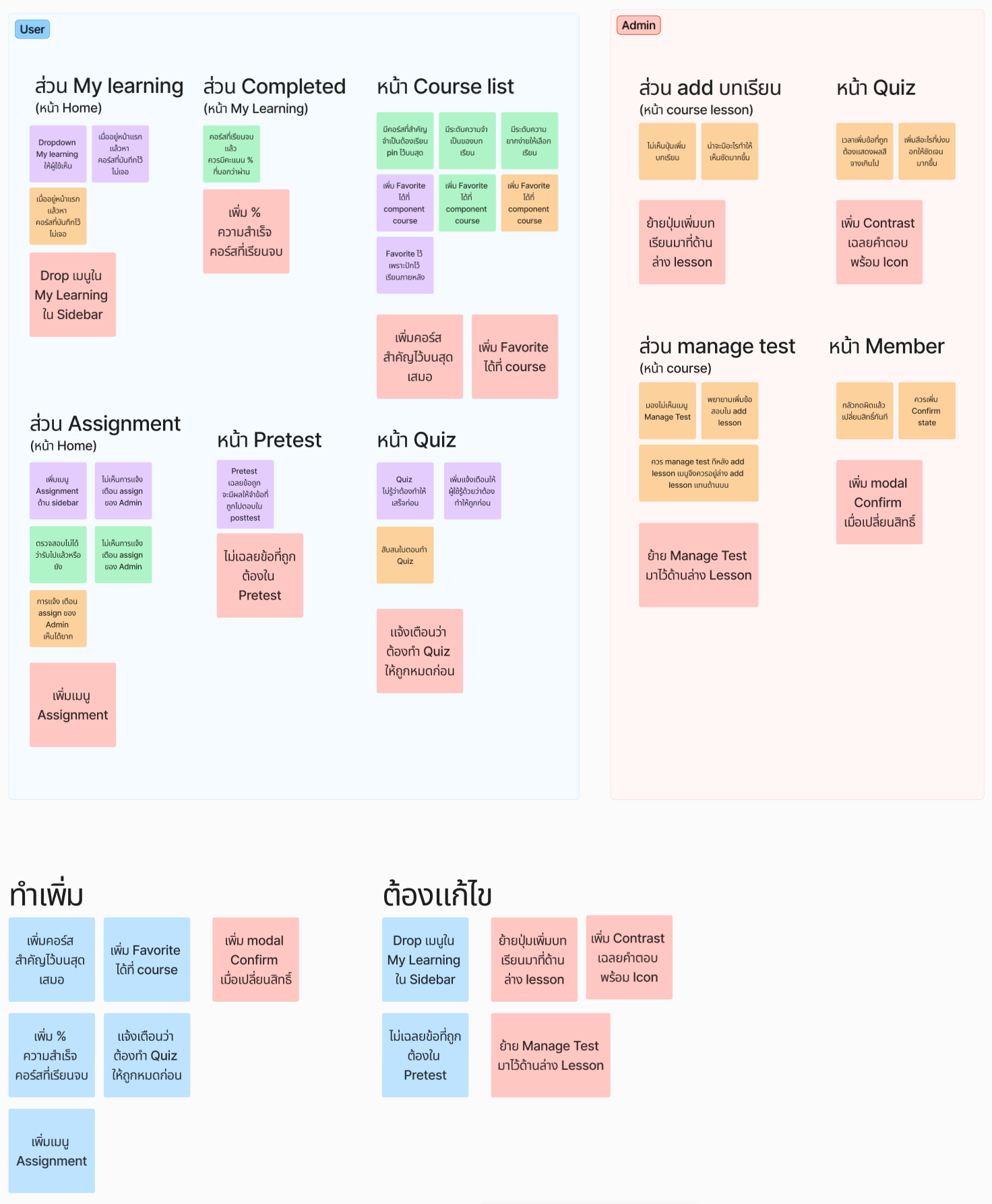
Design improvements
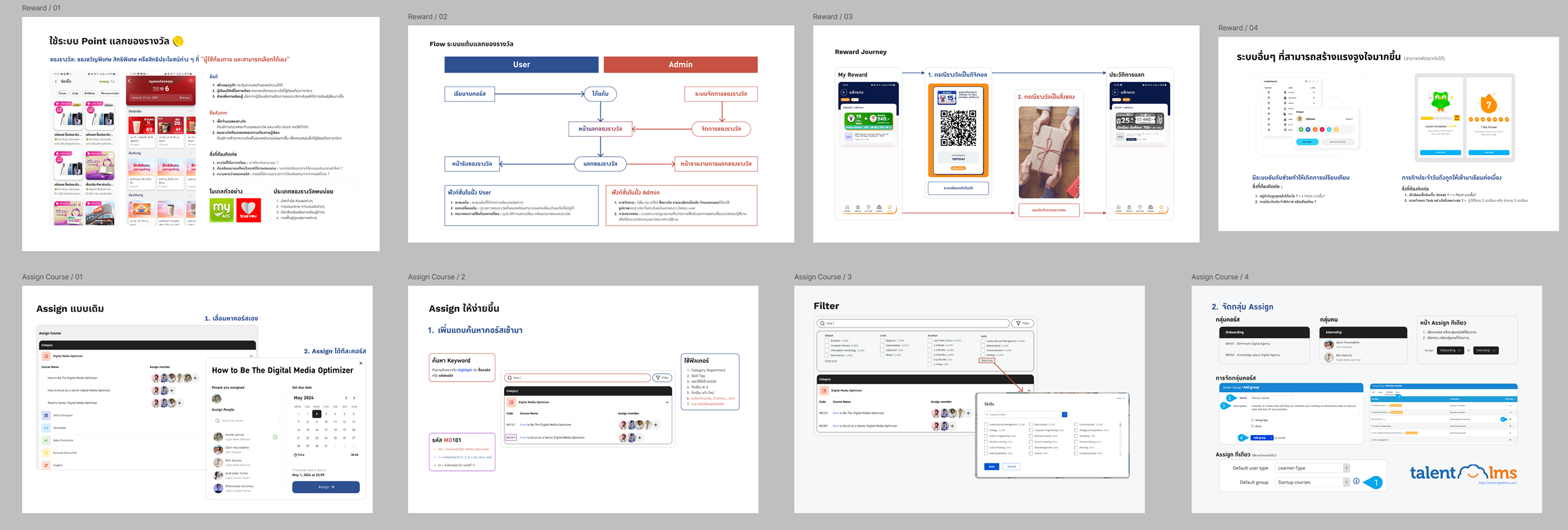
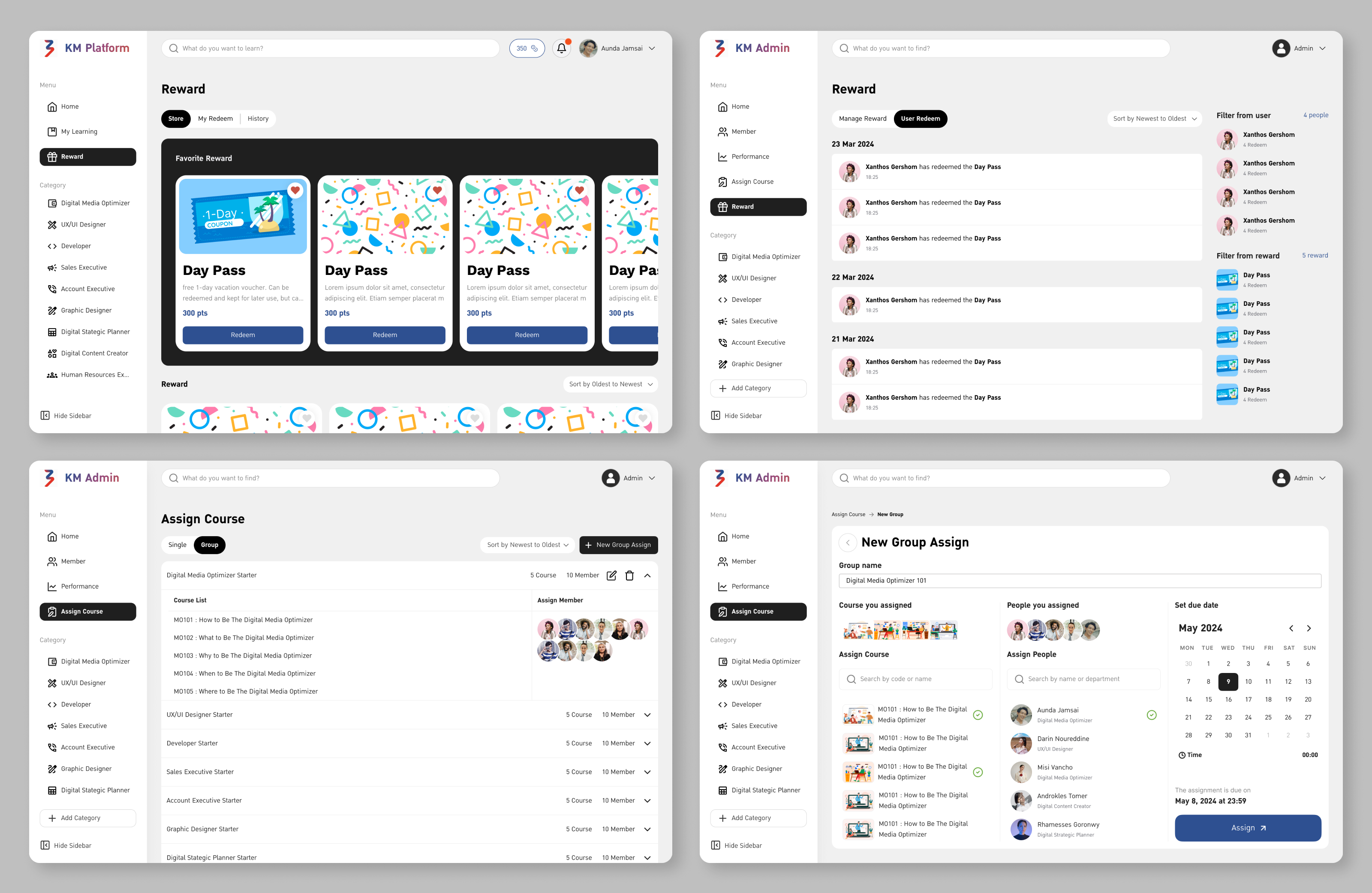
After testing, the requirements were collected to address any issues and improve the system. The next step involved proposing ideas for future enhancements to management, aimed at making the platform more engaging and user-friendly. Examples include introducing a loyalty program to motivate learning and implementing the ability to assign lessons to groups, enhancing both participation and efficiency.